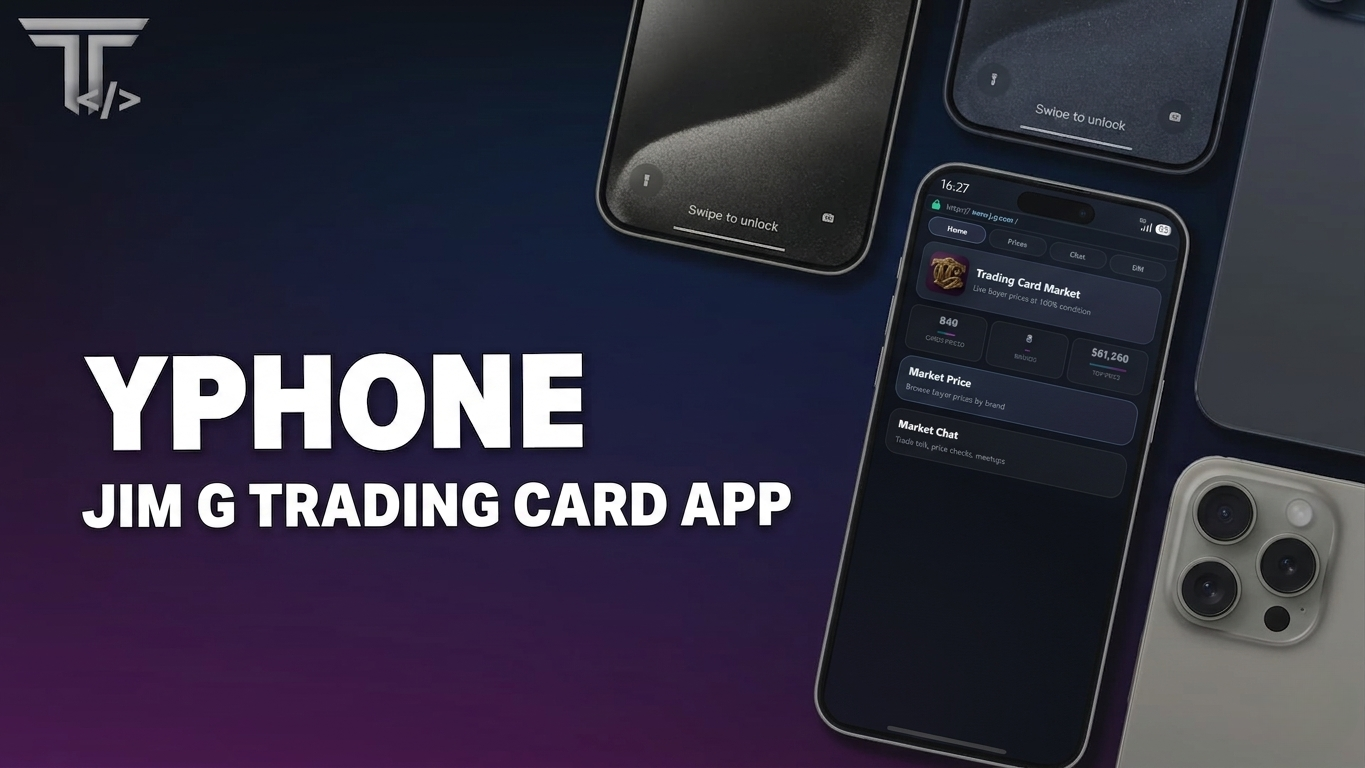
Jim-G Trading Card - YSeries Phones app

Jim-G Trading Card - YSeries Phones app

This item is free.

Add to Basket

πŸ“± TCM β€” Trading Card Market (YSeries Phone)

Free YSeries Phone add-on for Jim G Trading Cards.

Give your players a fully integrated pocket trading hub and price guide directly inside their phone.

TCM connects directly to your Jim G Trading Cards system and pulls live data from your existing config β€” no duplicate setup, no edits required.

πŸ’‘ What it does

πŸ“Š Market Price Guide

Browse every sellable card in your server:

β€’ Filter by brand
β€’ Search by card name
β€’ View full high-quality card art
β€’ See live buyer prices at 100% condition

Uses the same pricing logic as the in-game Sell NPC (Config.SellShop).

🏠 Home Dashboard

Quick overview of your entire card economy:

β€’ Total number of cards available
β€’ Number of active brands
β€’ Highest market value card on your server

πŸ’¬ Market Chat

A public trading chat built into the phone:

β€’ Discuss prices and trades
β€’ Arrange meetups
β€’ Tap player names to interact

πŸ“© Direct Messages

Private messaging system for secure trading:

β€’ One-to-one DM threads
β€’ Unread message notifications
β€’ Perfect for organising deals without spam

🚫 What it does NOT do

This is a read-only companion app.

It does NOT:

β€’ Open packs
β€’ Sell or buy items
β€’ Grade cards
β€’ Modify inventory

All trading and gameplay still happens inside the Jim G Trading Cards system.

✨ Features

β€’ Live pricing synced from Config.SellShop
β€’ Supports dynamic pricing systems (if enabled)
β€’ Full brand filtering + search system
β€’ Authentic Jim G card rendering (rarity, stats, effects)
β€’ Optional image fallback system (local or CDN)
β€’ MySQL-backed chat + DM system
β€’ Smooth YSeries Phone integration
β€’ Players can install through the YSeries App Store
β€’ Lightweight and optimized

πŸ“¦ Requirements

β€’ YSeries Phone
β€’ Jim G Trading Cards
β€’ ox_lib
β€’ oxmysql
β€’ community_bridge

βš™οΈ Installation

  1. Download and place jtc_yseries_phone_app into your resources folder.
  2. Add to your server.cfg:
ensure oxmysql
ensure community_bridge
ensure jim_g_trading_cards
ensure yseries
ensure jtc_yseries_phone_app

  1. Add the following to:
yseries/config/config.customApps.lua

Inside Config.CustomApps:

{
    key = "tc",
    name = "TCM",
    defaultApp = false,
    ui = "https://cfx-nui-jtc_yseries_phone_app/ui/dist/index.html",
    icon = {
        yos = "https://cfx-nui-jtc_yseries_phone_app/ui/dist/jtc/jtc_app.webp",
        humanoid = "https://cfx-nui-jtc_yseries_phone_app/ui/dist/jtc/jtc_app.webp",
    },
},

defaultApp = false β†’ Players install TCM through the YSeries App Store.

defaultApp = true β†’ TCM is pre-installed on the phone.

  1. Restart your server.
  2. Open YSeries Phone β†’ App Store β†’ Install TCM.

πŸ“ Notes

β€’ SQL tables are created automatically on first start
β€’ No manual SQL import required
β€’ App registration is handled through config.customApps.lua
β€’ Do not use AddCustomApp for the same app key
β€’ No changes required to Jim G Trading Cards
β€’ Fully plug-and-play integration

Free YSeries Phone add-on for Jim G Trading Cards. Live buyer price guide, card browser, market chat, and direct messages inside YSeries Phone. Requires YSeries Phone + Jim G Trading Cards.